Development
Everything is online
Until the day nothing responds.
A few years ago, moving your data to the cloud was presented as a small revolution.
No more servers in the office.
No more worrying about hardware.
Everything available.
Everywhere.
All the time.
Well, almost.
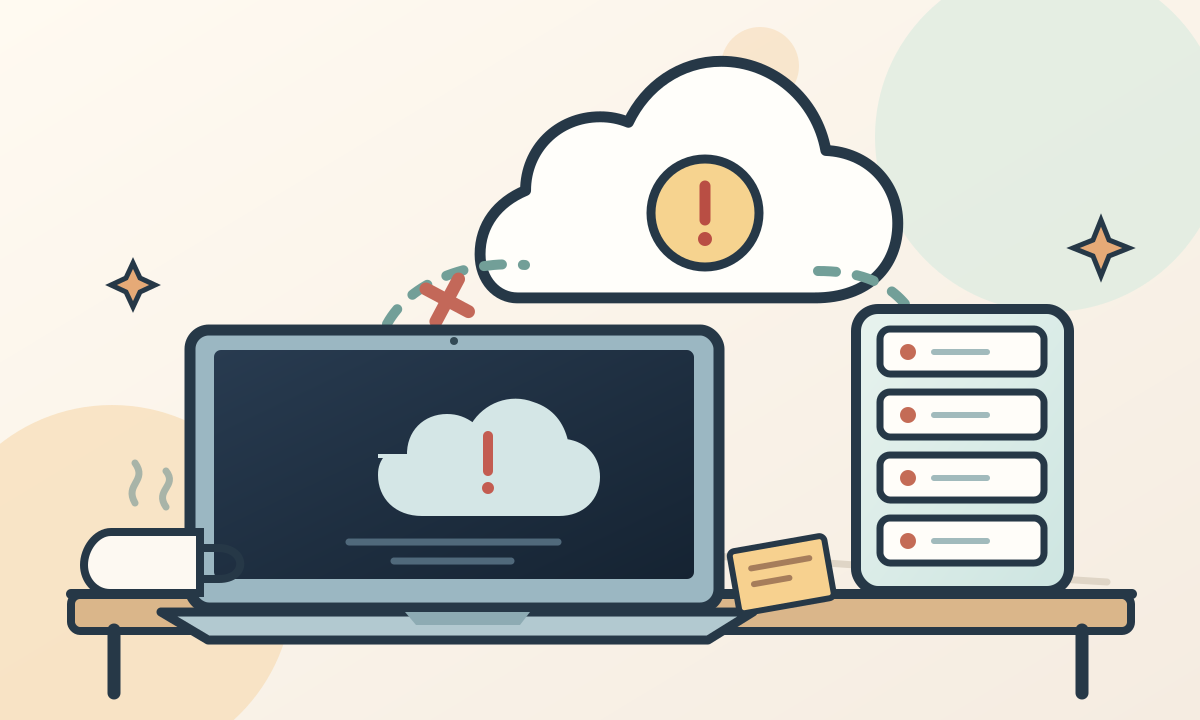
On November 12, 2026, Microsoft experienced a major outage affecting Outlook, Teams and several Microsoft 365 services.
Some users couldn't access their email. Others struggled to use the tools they relied on every day.
For some companies, part of the workday turned into a collective troubleshooting session.
Refresh.
Restart.
Try the phone.
Switch browsers.
Until somebody finally asks the question.
What if the problem isn't on our side?
Somebody else's server
I like the cloud.
I build applications, deploy websites and use services every day that let me work without owning a single machine in a data center.
I can deploy an application from my computer and make it accessible to people thousands of miles away.
That's pretty remarkable.
But there's a sentence that always makes me smile.
“Everything's in the cloud.”
As if our files had left the physical world.
As if they floated somewhere above our heads, safe from power cuts, human errors and hardware failures.
In reality, the cloud still runs on computers.
Lots of computers.
Servers inside buildings.
Cables.
Cooling systems.
Network equipment.
And software written by human beings.
The cloud is also somebody else's computer.
A computer that's usually far better equipped and maintained than anything you could put in an office.
But still a computer.
When everything depends on everything
What interests me about Microsoft's outage isn't just that Outlook stopped working properly.
It's what happens when a shared component runs into trouble.
Microsoft explained that some of its servers had become unavailable, leaving the remaining machines to handle additional traffic.
Its teams tried redistributing that traffic and gradually bringing servers back online.
The exact cause was still under investigation as I wrote this.
But the situation illustrates something developers know well.
An application can consist of dozens of services, each working perfectly.
Until a single dependency stops responding.
An authentication system goes down.
People can't sign in.
A database slows down.
Pages become unusable.
An API doesn't respond.
Several features stop working, even though their code hasn't changed.
It's a bit like a house where every room has a beautiful light switch.
But every room depends on the same circuit breaker.
When that breaker trips, changing the light bulbs won't help.
The problem with 99.9%
In tech, we love talking about availability.
99%.
99.9%.
99.99%.
The more nines we add, the more reassuring a service sounds.
And yet 99.9% availability still allows about eight hours and 46 minutes of downtime over a full year.
Eight hours.
That may seem reasonable spread across twelve months.
Until those hours happen to fall on the day you need to send a proposal, finish an important document or retrieve something urgently.
Percentages are useful for measuring service quality.
But they don't always capture what an outage means to the person dealing with it.
An application that's available almost all the time can still be unavailable at the worst possible moment.
And no dashboard can guarantee otherwise.
We forgot to plan for failure
When building a product, we spend a lot of time imagining the ideal journey.
The user opens the app.
Signs in.
Performs an action.
The server responds.
Everything works.
Clean.
Smooth.
Exactly what we wanted.
Except reality never promised to follow our script.
Connections are sometimes unstable.
Servers can become unavailable.
External services might take several seconds to respond.
Users can lose their connection halfway through an operation.
And yet we sometimes keep designing applications as though every request is guaranteed to succeed.
I know the temptation.
It's much more enjoyable to build a new feature than to plan what happens when that feature fails.
A beautiful interface gets attention immediately.
A recovery mechanism, not so much.
Nobody takes a screenshot of a backup strategy to post on LinkedIn.
Yet it might prove far more valuable the day something goes wrong.
The button that does nothing
There's one detail I've started paying more attention to in applications.
What does the user see when something doesn't work?
A blank screen?
An endless loading animation?
An incomprehensible technical error?
Or an explanation clear enough to tell them what to do next?
We can't prevent every outage.
But we can avoid leaving users alone in front of one.
Show a useful message.
Offer a way to retry.
Avoid losing information they've already entered.
Save an operation temporarily if it can't be sent right away.
Clearly explain when an external service is unavailable.
These details don't make an application invincible.
They simply make it more honest.
An interface should be able to say:
“I can't do that right now.”
Instead of pretending everything is fine while a button spins forever.
Handling failure well is part of a good user experience too.
What about tomorrow?
I don't think this outage is a reason to abandon Microsoft 365.
Or to move every service back onto office servers.
Cloud infrastructure offers real benefits, especially in capacity, maintenance and accessibility.
But a company should know which services it actually depends on.
And, more importantly, what it would do if one of them became unavailable for several hours.
You don't need to design infrastructure worthy of a space agency.
Sometimes the first precautions are straightforward.
Have another way to contact key people.
Keep secure copies of critical documents.
Know which tools can keep working without the others.
And occasionally test the procedures you've put in place.
From a developer's perspective, it also means taking dependencies seriously.
A third-party service isn't an absolute promise.
An API can go down.
A connection can expire.
A provider can experience an incident.
These aren't necessarily exceptional events we can afford to ignore.
They're situations our software needs to be able to handle.
Always online
I'm writing this article on a computer connected to the internet.
My website runs on several services that I don't host myself.
The code lives on one platform.
The application is deployed on another.
Other services help different features work.
And I still find this ecosystem fascinating.
I can build things that would have required enormous resources just a few years ago.
But I also know I don't control everything.
Even when my code works perfectly.
Even when all the tests are green.
Even when the last deployment completed without an error.
Somewhere, a service can stop responding.
So I'll keep using the cloud.
Building applications.
Deploying my projects.
Enjoying everything this technology makes possible.
I'll just try to remember one thing.
Everything is online.
Until the day it isn't.